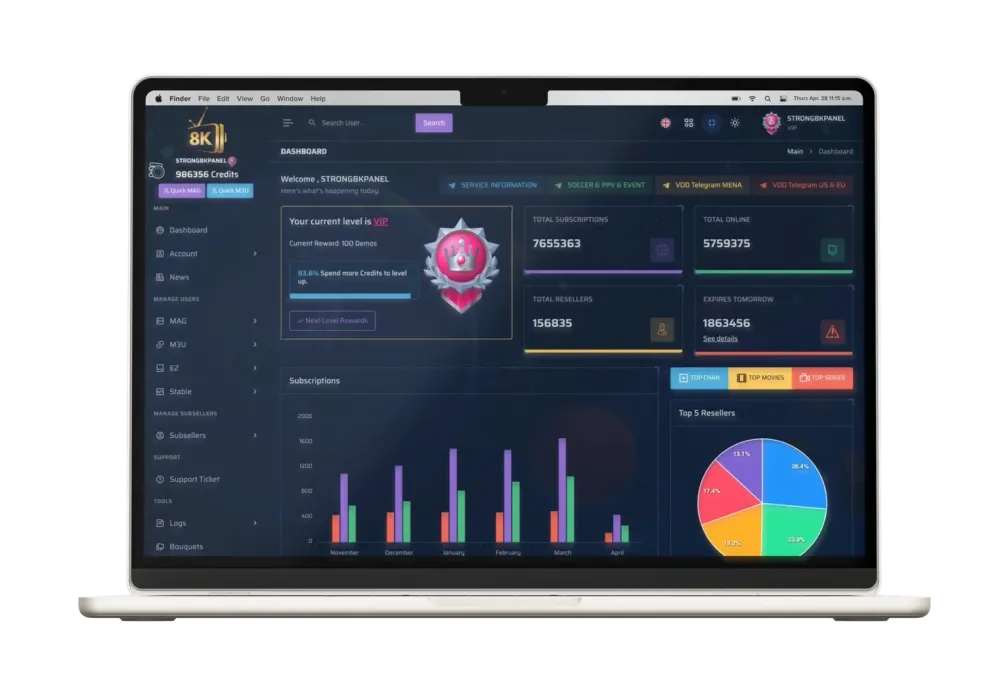
Strong 8K Panel Features
for IPTV Reseller Management
Customer line management
Reseller credit overview
Explore the Strong 8K Panel features designed for IPTV
reseller management. Manage customer lines, review reseller
credits, select available packages and handle eligible
subscription renewals from one organized reseller dashboard.
Create eligible customer lines and keep their essential
account information organized inside the Strong 8K
reseller panel.
Create new customer lines
Review account details
Check line status
02
SEARCH & STATUS
Find Customer Accounts
Search existing customer records and review the
information available for each managed line.
Search customer line
03
LINE CONFIGURATION
Package & Region Selection
Review the package, duration and region options available
during an eligible customer line setup.
PackageDurationRegion
04
RESELLER CREDIT MANAGEMENT
Review Your Reseller Credit Balance
Check the reseller credit information displayed in your
dashboard and review the required cost before completing
an eligible activation or renewal.
Available balance
Credit overview
↗
05
RENEWAL CONTROLS
Customer Subscription Renewals
Locate an eligible existing line, review the available
renewal options and verify the reseller credit cost
before confirmation.
Existing lineRenewal
06
ACCOUNT TYPES
Multiple Customer Line Options
Access the customer line management areas available in
your Strong 8K IPTV reseller dashboard.
M3UMAGE2MultiApps
CUSTOMER LINE MANAGEMENT
Manage Customer Lines with the
Strong 8K IPTV Panel
Search customer records
Review line status
Strong 8K customer line list displayed in the IPTV reseller dashboard.
The customer line management interface gives IPTV resellers
one place to create eligible customer lines, find existing
records and review the information available for each account.
Use the Strong 8K reseller dashboard to organize customer
records and check important line information before managing
an activation or renewal. Available actions can vary according
to the customer line type and your panel access.
Create Customer Lines
Open the appropriate line management area and enter
the required customer configuration.
Search Existing Records
Find a managed customer line without browsing through
the complete account list manually.
Review Line Information
Check the status, package, expiration details and
other information displayed for the customer line.
Select Customer Packages and Regions
in the Strong 8K Panel
Package selection
Region options
Customer line creation controls inside the Strong 8K IPTV reseller dashboard.
Configure an eligible customer line by reviewing the
subscription duration, country, region and package options
available in your Strong 8K IPTV reseller panel.
The line creation interface groups the main configuration
choices into one workflow. Review each selection carefully
and check the displayed reseller credit requirement before
confirming the customer account.
01
Choose a Subscription Duration
Review the subscription durations currently available
for the selected customer line.
02
Select the Customer Region
Choose from the region options displayed in the panel,
according to the intended customer setup.
03
Review Package Options
Check the available package and VOD selections before
completing the customer configuration.
04
Check the Credit Cost
Confirm the displayed price and your reseller credit
balance before creating the customer line.
Manage IPTV Reseller Credits
from the Strong 8K Dashboard
Credit balance overview
One reseller dashboard
Strong 8K IPTV reseller dashboard with credit and account information.
Review the IPTV reseller credit information displayed in
your Strong 8K dashboard before managing an eligible customer
activation or subscription renewal.
Your reseller credit balance helps you understand the panel
resources currently available to your account. Check the
required credit cost for the selected package and duration
before confirming any customer action.
Review Your Credit Balance
Check the reseller credit information available from
the main Strong 8K IPTV panel dashboard.
Check the Required Credit Cost
Review the cost connected to the selected customer
package and subscription duration before confirmation.
Plan Activations and Renewals
Consider upcoming customer requests when deciding
whether your current reseller balance is sufficient.
Manage Customer Subscription Renewals
from the Strong 8K IPTV Panel
Find customer line
Review renewal options
Eligible customer line renewal controls in the Strong 8K reseller dashboard.
Use the Strong 8K IPTV reseller panel to locate an eligible
customer line, review its renewal options and check the
required reseller credit cost before confirmation.
The subscription renewal workflow keeps the main steps
together, helping you review the customer record, selected
duration and panel information before completing the action.
01
Find the Customer Line
Search for the existing customer record inside the
appropriate line management area.
02
Open the Renewal Controls
Select the eligible renewal action associated with
the customer line you want to manage.
03
Choose an Available Duration
Review the subscription duration choices currently
displayed for the selected customer account.
04
Review Credits and Confirm
Check the required reseller credits and customer
details before confirming the subscription renewal.
Renewal availability, duration choices and reseller credit
requirements can depend on the selected customer line and
the options currently displayed in the panel.
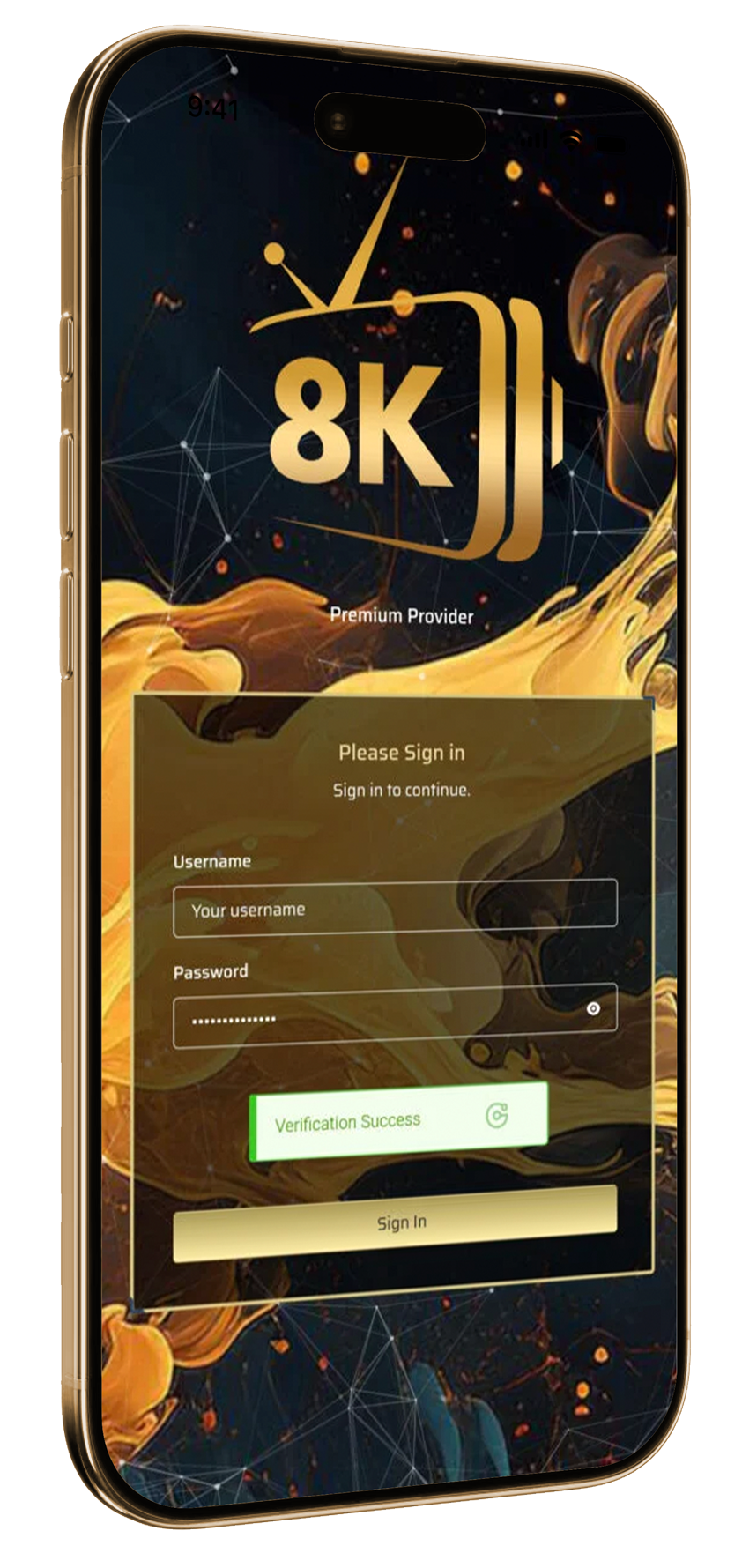
Access the Strong 8K IPTV Reseller Dashboard on Mobile
Keep your reseller workflow accessible when you are away from your
computer. The Strong 8K IPTV Panel provides a practical mobile entry
point for authorized resellers who need to check their panel and
continue managing day-to-day customer activity.
Mobile panel access
Verified sign-in
YOUR PANEL, CLOSER TO YOU
A More Flexible IPTV Reseller Panel Experience
The mobile access screen gives Strong 8K Panel resellers a convenient
way to reach the reseller dashboard from a compatible smartphone.
This helps keep important panel access within reach while working
outside the usual desktop setup.
Mobile-Friendly Access
Open the Strong 8K IPTV reseller panel from a compatible mobile
device whenever you need convenient dashboard access.
Clear Sign-In Experience
A focused login screen keeps access simple while presenting the
familiar Strong 8K Panel brand interface.
Connected Reseller Workflow
Stay connected to the same Strong 8K reseller workflow used for
customer lines, panel credits and subscription management.
i
Available controls can vary according to the account, selected
service and device being used.
Frequently Asked Questions About Strong 8K Panel Features
Find clear answers about the main Strong 8K Panel features,
including customer line management, reseller credits, package
selection, subscription renewals and mobile dashboard access.
The main Strong 8K Panel features include customer line
management, reseller credit visibility, package and region
selection, customer account search, subscription renewal controls
and access to an organized IPTV reseller dashboard.
02
Can I manage customer lines from the Strong 8K IPTV Panel?
Yes. The customer management area is designed to help eligible
resellers create, find and review customer lines from one panel.
The exact options displayed can depend on the reseller account and
the available service configuration.
03
How do IPTV reseller credits work inside the dashboard?
Reseller credits are displayed inside the Strong 8K dashboard and
are used according to the selected customer package and duration.
The required number of credits can vary, so resellers should
review the available option before confirming an activation or
renewal.
04
Can resellers select customer packages and regions?
The Strong 8K IPTV reseller panel can present available package
and region options during the customer-line workflow. Available
selections may vary according to the account, service and current
panel configuration.
05
Can customer subscriptions be renewed from the panel?
Eligible customer subscriptions can be reviewed through the
renewal controls available in the reseller dashboard. Before
confirming, the reseller can check the selected duration,
available options and required reseller credits.
06
Is the Strong 8K reseller dashboard accessible on mobile?
The panel includes a mobile access interface that can be opened
from a compatible smartphone. The layout and available controls
can vary according to the device, reseller account and panel
configuration.
07
Does every reseller account include the same panel options?
Not necessarily. Available Strong 8K Panel features, packages,
customer-line options and account controls can depend on the
reseller level, selected service and current configuration.
Contact the team to confirm what is currently available.
08
How can I request information about the Strong 8K Reseller Panel?
You can contact the Strong 8K team directly through WhatsApp.
Mention that you visited the Strong 8K Panel Features page and
ask about current availability, reseller credit packages and
dashboard access.
READY TO EXPLORE THE PANEL?
Get More Information About the Strong 8K Reseller Panel
Contact us on WhatsApp to ask about current Strong 8K Panel
availability, reseller credits, dashboard access and available
account options.